
1. cmd 사용
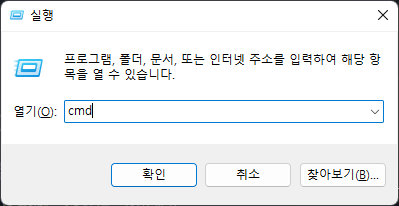
- win + R
cmd
![cmd_실행]()
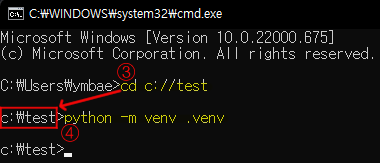
cd <가상환경 만들 폴더 경로>
python -m venv <가상환경이름>
![cmd_가상환경]()
- 가상환경이 만들어진 모습
![가상환경이 만들어진 모습]()

2. Visual Studio Code(vs code) 사용
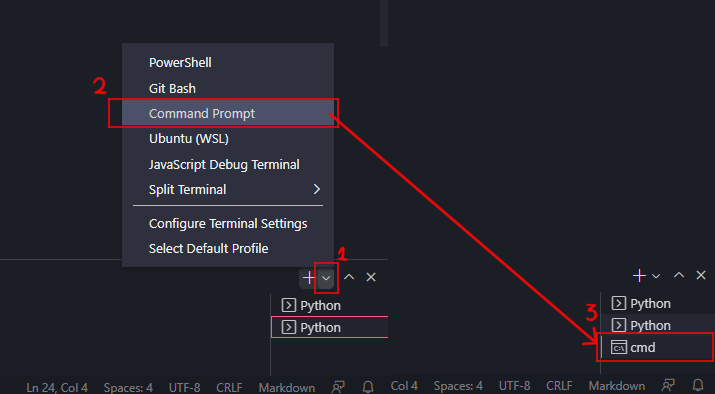
vs code 하단 cmd 창 열기
![vs_code_terminal]()
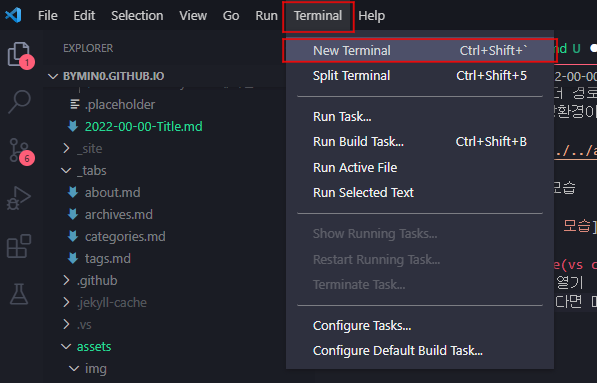
위의 사진과 같은 모양이 없다면 메뉴 중 새로운 터미널 생성
![new_terminal]()
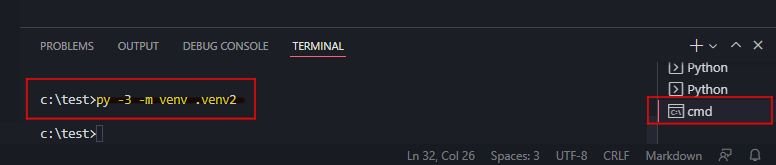
py -3 -m venv <가상환경이름>
![terminal_code]()
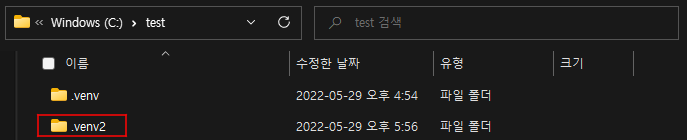
가상환경이 만들어진 모습
![가상환경이 만들어진 모습]()
3. 가상환경 실행(vs code)
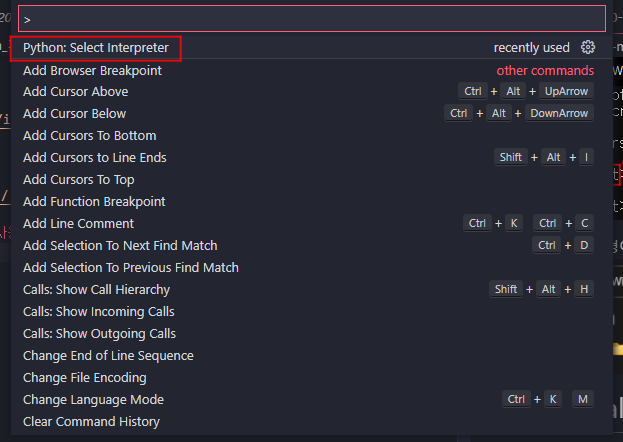
ctrl + shift + p
Python:Select Interpreter (클릭)
![click]()
Enter interpreter path.. (클릭)
![click]()
Find… (클릭)
![click]()
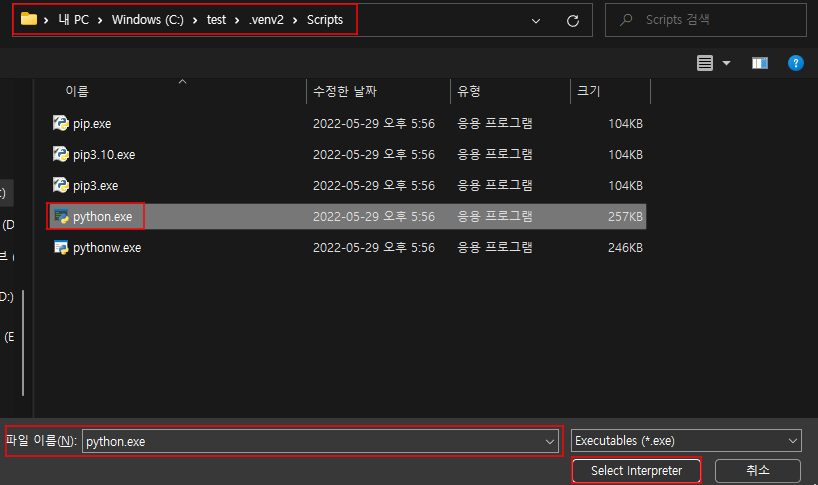
..\<가상환경이름>\Scripts\python.exe » Select Interpreter
![가상환경 경로]()
ctrl + shift + `
![가상환경 실행 완료]()
사진과 같이(가상환경이름) root>가 나오면 가상환경 실행 성공!



Comments powered by Disqus.